What's in it
Everything in the box — including the parts nobody advertises.
This is the long page. It is one page rather than eight, because what somebody actually wants to know is whether the thing they have in mind is in here at all — and that question is answered by scanning, not by navigating.
Controls
What you can put on a screen.
The ordinary form controls, and then eight controls that each draw a table — a list, a calendar, a chart, a grid of pictures, a map, a floor plan, a 3D assembly, a schedule. That is the idea the product is built around: your data, drawn as the thing it actually is.
| Control | What it is |
|---|---|
| The form | |
| Label | Four voices — body, heading, the big number somebody came to see, and the quiet line under it saying what that number is. Not a font picker: four, so two screens still match. |
| Text field | Typed like a column is: text, whole number, decimal, money, date, time, timestamp, yes/no, picture, file, id. A quantity gets the number keyboard; an amount is drawn with its currency and swaps to the plain number the moment you tap it. |
| Text area | A note on a form. It scrolls only once it has outgrown its box — otherwise it hands the drag back to the page. |
| Button, switch, slider, stepper, picker, segments, search bar | Styles of the same few controls rather than a palette of near-duplicates. A picker's options can be the unique values of a column, so next year's rates update the list rather than a copy of it. |
| Date picker, image view, timer | The timer's face reads 7:30 and its value reads 7.50 — a person reads the first, a timesheet adds up the second. |
| Code badge, breadcrumb | A value drawn as the thing it is: a QR square or a barcode to scan — a link, a number, a payment string — or a path shown as chips, Sales › Customers › Acme, from a value a flow sets as it goes. |
| Controls that draw a table | |
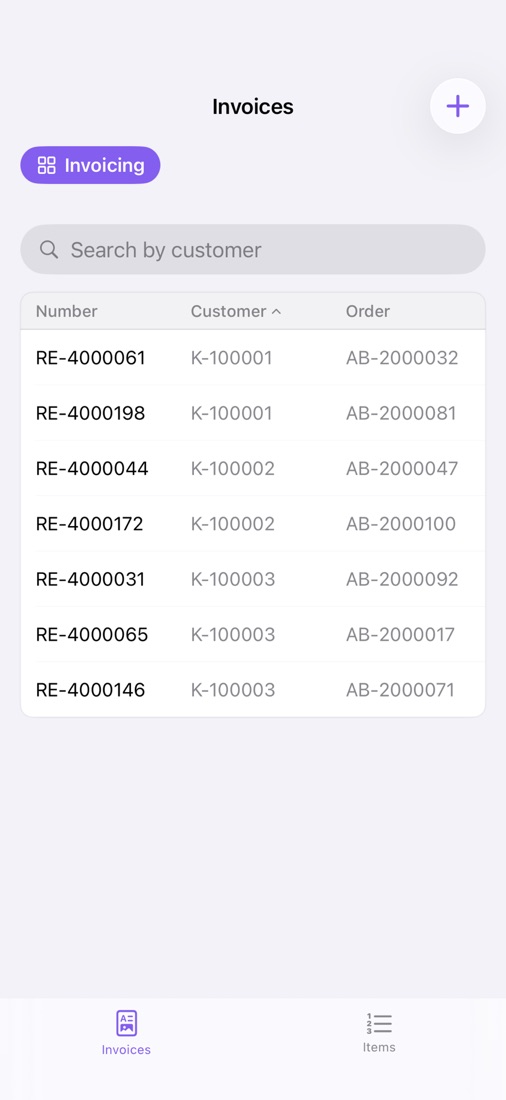
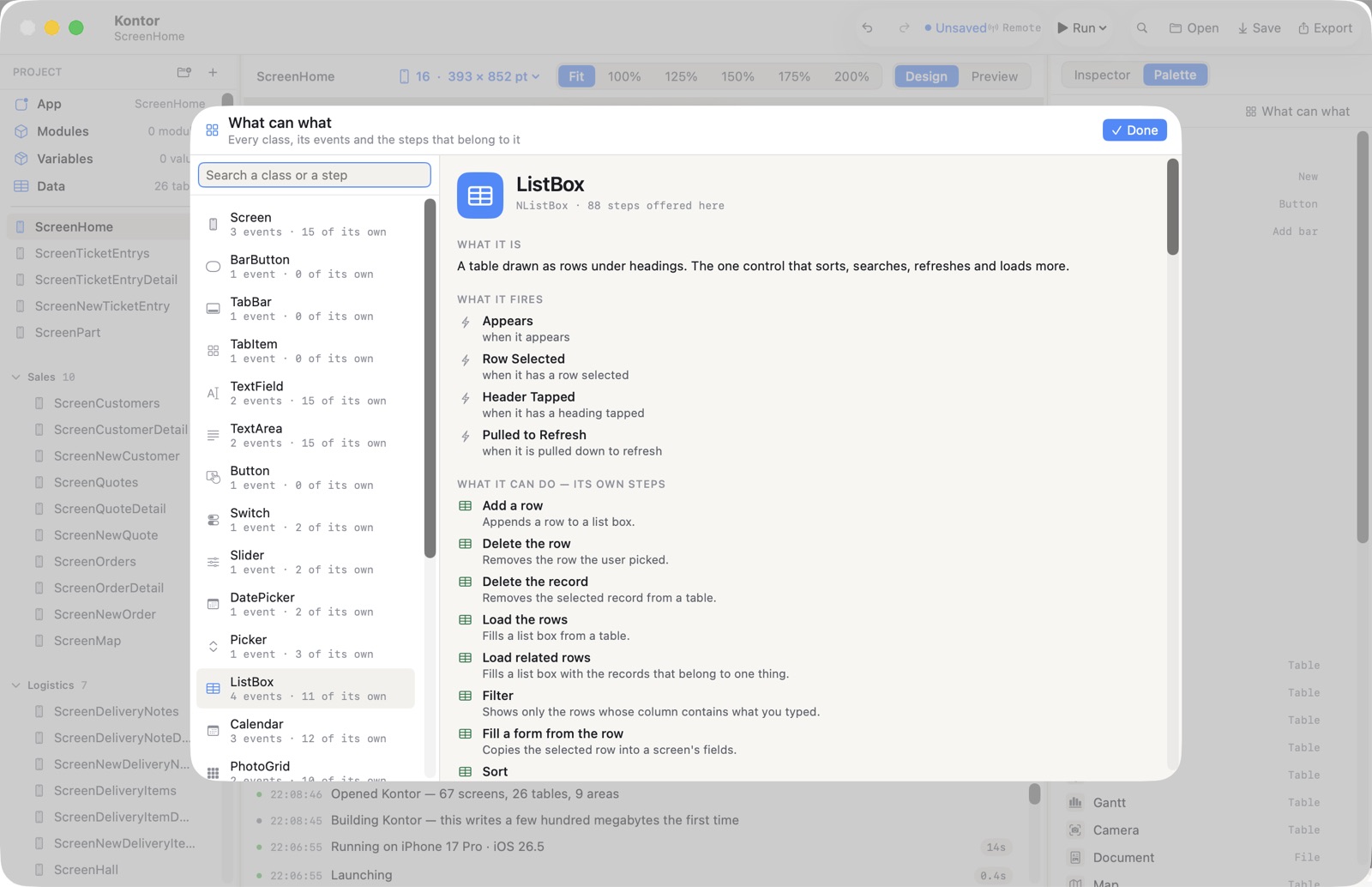
| List box | Columns, headings that sort, grouping under a heading, pull to refresh, a search box, and an honest row count when the table is bigger than the window. |
| Calendar | Month, week and day — all three always offered. A record whose time cannot be read becomes an all-day entry rather than disappearing. |
| Chart | Bars or a line, drawn with Swift Charts in the designer, on the phone and in the export alike. |
| Wave gauge | A number drawn as a liquid level — a circle, a tank, a battery or a bottle filling to how full something is, its rows put together against a full mark, with the spill shown when it goes over. |
| Heatmap | A table drawn as a contribution grid: one square per day, coloured by how much happened that day — the year's rhythm at a glance. |
| Photo grid | A column of picture names as a grid of tiles. A tile is a row, so tapping one picks that record. |
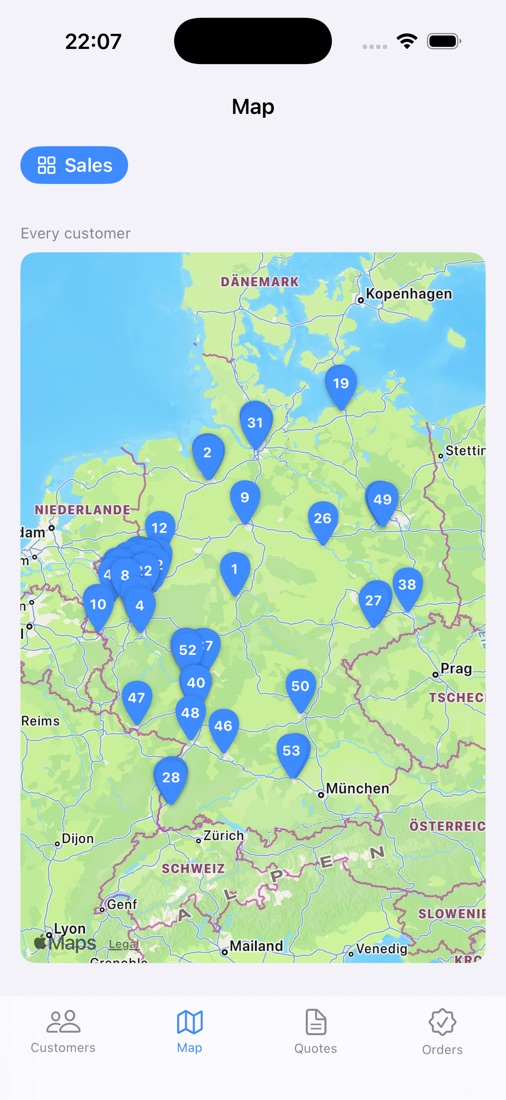
| Map | Every row with a coordinate — or just an address — is a pin. Routes, radius searches, follow-me, a geofence that fires once on the way in, and pins you drag, which write their new coordinates back into the row. |
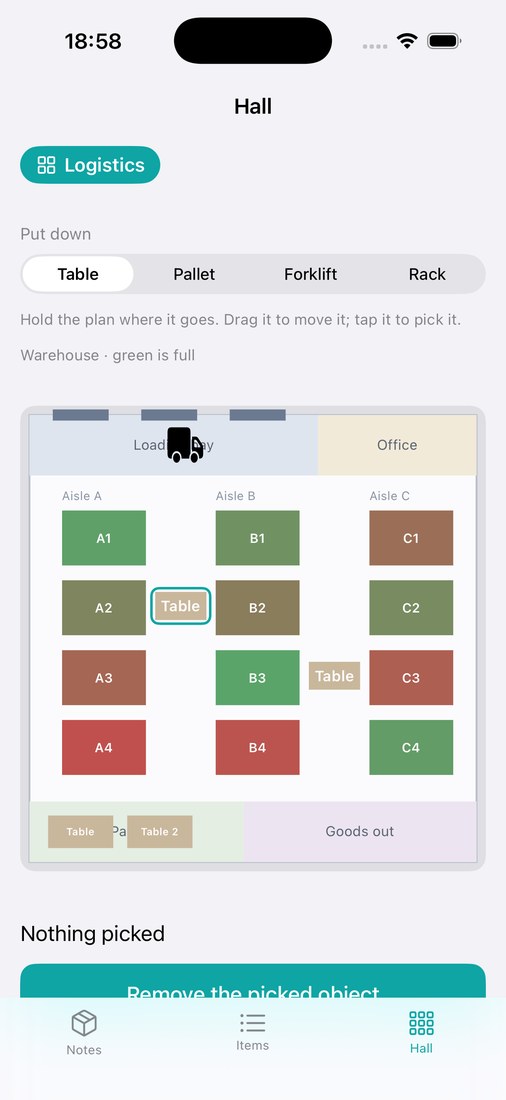
| Canvas | Every row is a shape on a 1000 × 1000 board: a warehouse floor, a kanban board, a site plan, a seating chart. Hold the empty board and a step puts a shape down there; drag a shape and its coordinates are written back. A row the board cannot read is drawn grey with its tag — never dropped. |
| 3D model | Every row is a part: an imported STL or USDZ, placed in a box in space, coloured by a value. Tap a part and you have picked its row. Pull the assembly apart with a slider, show one part, or put it in the room with AR. |
| Gantt chart | Bars you drag. Releasing one writes Start and End back into the record. Lanes, predecessors drawn as arrows, red when a successor now starts before the thing it waits for. |
| Camera | The one control that fills its table: every barcode, line of text, date, object, document or face it recognises becomes a row. Point it at a receipt and the fields fill themselves. |
| Document viewer | PDF, HTML, Markdown, plain text, a picture, and Word/Excel/Pages through QuickLook — hung on a column of the selected row, so a list beside it is a filing cabinet. |
| Getting around | |
| Tabs | Up to five, because that is what the bottom edge of a phone holds. |
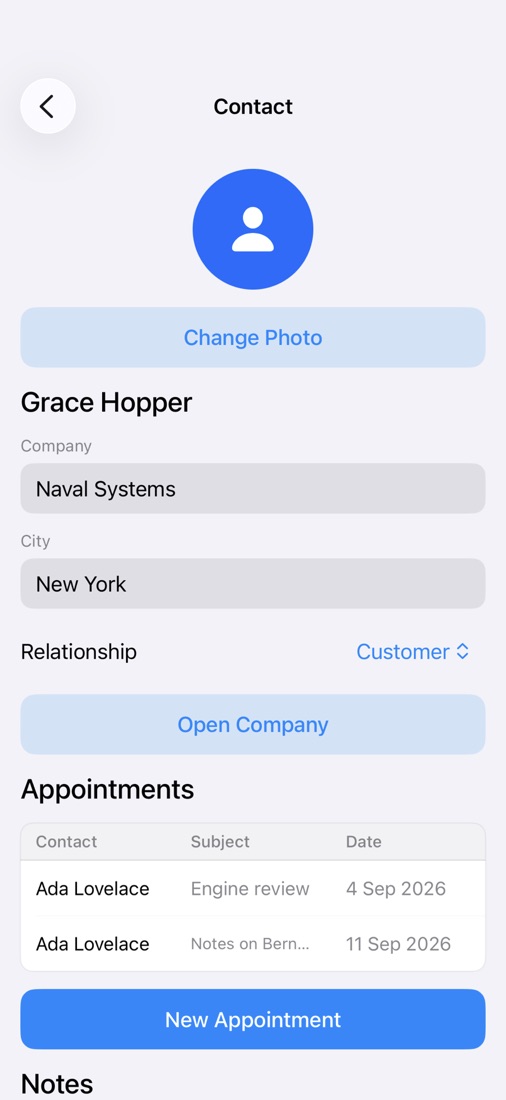
| Areas | The level in front of the tab bar, because a business app does not have five things in it. You land on a hub of tiles, pick one, and inside it get its own two-to-four tabs. The tile you press becomes the area. |
Fourteen objects, twenty seconds each
Watch each one do its thing.
One short film per control, silent, on the phone where it lives. Like the showcase film these are not screen recordings somebody made: the program drives itself over its own remote channel while the screen is filmed, so a dragged bar is a dragged bar and a signature is signed. Press one to play it; nothing loads until you do.
Flows
About forty verbs, and no forty-first that is really a language.
A flow is an ordered list of steps. Each step is a verb, a thing it points at, an
optional guard and an optional wired value. There are branches, one loop and a
case — and deliberately no jumps, no while, and no expression grammar
beyond arithmetic.
| Family | What is in it |
|---|---|
| Data | Save, update, delete, add a row, load records, load the related rows, filter, sort, look a value up, add up (total, count, average, smallest, largest), calculate a formula, fetch a URL, remember in a variable. |
| Which way | If … otherwise; for each row — the only loop, and it walks the rows of a control, so it cannot run for ever; and a case with its arms side by side rather than five nested branches marching off the right edge. |
| Navigation | Open a screen, present a sheet, go back, dismiss, go to a tab, open an area, leave it. |
| Form | Fill the form from a row, clear it, show, hide, enable, disable, set a text, put the time in. |
| Feedback | Show a message, buzz, play a sound, copy, share text, share a picture of a board, share a file, make a PDF, set a preference. |
| Access | Pick a photo, pick a contact, add to the calendar, read the calendar, use the location, open directions, read an NFC tag, schedule a reminder, take a photo, start and stop scanning. |
| Intelligence | Translate, summarise, rewrite, extract into a form, classify into a picker, ask, sentiment, detect the language, find similar rows, dictate, speak. |
| Maps and boards | Set a pin, remove pins, zoom, search places, follow me, watch a radius, centre; explode the model, show one part, colour a part, place it in the room. |
if in a script. “Only if the
field is empty”, “only if this row's Kind is Link”, “only if the app is offline”. And a
step that is refused — a required field left empty — stops the rest of the flow,
rather than letting the Clear Form and the Dismiss Modal after it throw the typing away
and close the sheet as though it had worked.
The phone itself
The things a phone has that a Mac does not.
Each one asks iOS for permission and explains itself in a sentence you write — and the step that needs it does not appear in the catalogue until the access is declared, so a crash-on-a-real-phone tap cannot be built by accident.
Coordinates or a street address into a field, a distance to the selected row, directions handed to Apple Maps, and a geofence that fires once as you arrive.
Read a tag's text, link or serial into a field. Ring a local notification at a date the app worked out. Put Face ID over the whole app on launch and after the background.
Launched, put away, came back, turned, appearance changed, network changed, battery low, memory low, ended. “Save the half-filled form when it is put away” was not expressible before these, and that is where a form is actually lost.
On the device, and nowhere else
Intelligence with no prompt to write and no key to buy.
Eleven steps that read, translate and understand — and every one of them runs on the phone, through Apple's own models. There is no prompt box anywhere, on purpose: a step takes a text, a target and at most one option (a language, how long a summary, what tone), and that is the whole surface.
Kontor's inbox is the demonstration: opening a message detects its language, translates it into English and takes one sentence of what it is about. Three steps. No prompt, no account, no network.
The parts nobody advertises
Where a program of this kind is usually quietly wrong.
An amount is an exact decimal, computed through whole minor units in base ten.
(1.005 × 100).rounded() is 100 in binary floating point — it rounds
down — and a credit note is not a rounding gift. Every line total of every
bill goes through the same arithmetic in the designer, on the phone and in the
exported app.
A date shown as 18.03.2025 and then refused when typed back into that same cell is the classic fault of typed columns. The reader's spelling and the file's spelling are two functions with a tested contract between them.
An invoice app must not show dollars because the phone is set to English. The project names its currency; the reader does not get a vote.
Filtering the twenty thousand rows in memory and calling that the answer looks like a result — and the row somebody wanted is simply not in it. Search and sort walk the file on disk, with a progress bar, and say how many they really found.
A list, a grid, a calendar or a text area with a scroll view of its own swallows the page's drag wherever it happens to sit — so a form scrolls in some places and not others, which reads as broken rather than as a rule. Each of them hands the drag back unless it genuinely has something of its own to move.
Thirteen distinct iPhone screens, and a check that measures rather than calculates — it renders each control at that device's width and reads the height back. A taller phone does not always mean more room: an iPhone 8 Plus out-rooms a 12 mini once you take the notch and the home indicator off.
Papers, tests and the way out
Three things you would otherwise have to build yourself.
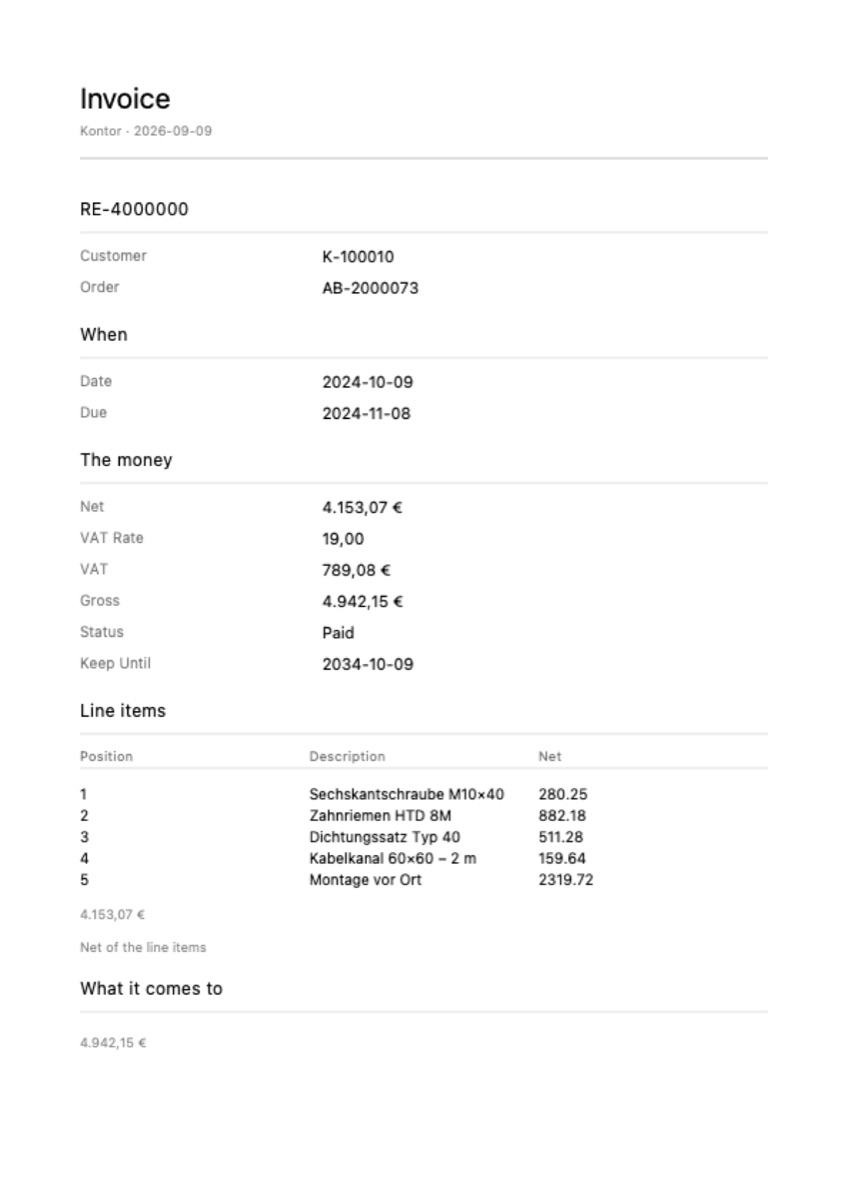
A PDF of what is on the screen. The title, the fields as label-and-value rows, and a list on the screen as a table on the paper — so an invoice with line items needs nothing designing. Deliberately not a screenshot of a phone: rounded fields are a picture of an app, not something anybody files for ten years. The step hands over the file's name, so it composes with the document viewer, with Share and with Print.
Tests written as sentences. “A contact without a name must not be saved.” The sentence is stored with the steps it became, and it runs on the same interpreter the preview and the phone use — so a green test proves what the app does, not what a parser thought the sentence meant. Every test runs before an export.
An Xcode project. Views, methods, structs, an asset catalogue, an
.xcodeproj, and a README that describes every flow in sentences. The
export refuses rather than half-generates: it names every step it cannot
express, because a project that builds only halfway is worse than none.
Where the data lives
Local, a file, a web endpoint — or iCloud.
A table says where its rows come from, and everything else works the same way whichever answer it gives.
Rows you typed in or imported. In the exported app they save themselves to the phone's own Documents folder, so what somebody enters is still there next week.
CSV or JSON, for the tables that are too big to carry — read in chunks, so a million delivery notes cost a window of memory rather than a crash with no report.
Load from a JSON endpoint, and write back: a new row is POSTed, a changed one PUT, a deleted one DELETEd. If the server says no, the change is put back and the flow stops — keeping the local row and carrying on is the worst of the three answers.
Turn it on in App ▸ Cloud and a table lives in the user's own private CloudKit database — their data, on their devices, under their Apple Account. Nothing of it passes through us; we run no server for your app, and we do not intend to.